Windsurf vs Cursor 2.0 (2026): Wave 13 Review & Best AI IDE Comparison
Windsurf hit #1 in the February 2026 LogRocket AI IDE power rankings. Here's every Wave 13 feature — Arena Mode, SWE-1.5 Free, parallel agents, Fast Context — and the full Windsurf vs Cursor 2.0 breakdown.
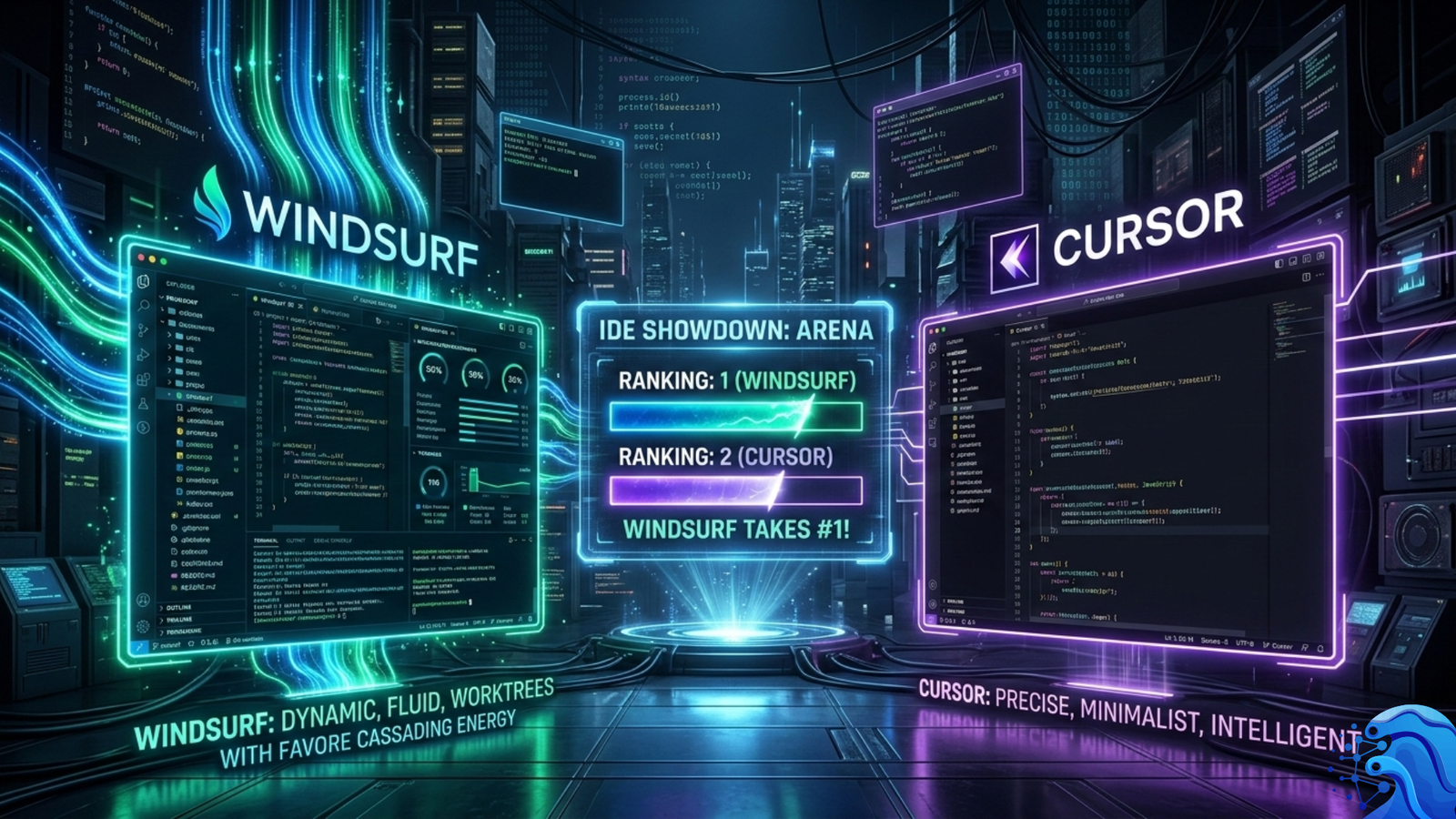
Why Windsurf Dethroned Cursor as the #1 AI IDE in 2026
On the day Cursor crossed $1 billion in ARR, it was #3.
That is the defining data point of February 2026's AI IDE landscape. The tool with 360,000 paying customers, a $29.3 billion valuation, and the most polished developer experience in the category lost the top spot in LogRocket's monthly AI Dev Tool Power Rankings — the most widely cited benchmark of developer tool momentum — to a competitor that charges 25% less, was acquired six weeks earlier for $250 million, and shipped its most consequential update on Christmas Eve.
In February 2026, there was no great introduction to AI tools, hence they all maintained their position from last month's ranking: Windsurf claimed the top spot with Wave 13's groundbreaking features. Arena Mode enables side-by-side model comparison with hidden identities and voting. Plan Mode adds smarter task planning.
The result: Windsurf climbed to #1 in the LogRocket AI Dev Tool Power Rankings, dethroning Cursor from the top spot. Also read: Google Antigravity took #2 during its free preview period. Cursor dropped to #3.
This is not a minor reordering. LogRocket's rankings are based on real-world usage data and feature momentum, not synthetic benchmarks. The report cited Wave 13's parallel multi-agent sessions, Arena Mode for blind model comparison, and Windsurf's lower pricing as the key factors driving the shift.
But the full story of Wave 13 is more nuanced than any ranking can capture. Windsurf simultaneously claimed the #1 power ranking and ranked last in a separate real-world coding benchmark of 10 web development tasks. Both facts are true. Understanding how that is possible — and what it means for your actual decision — is what this guide is for.
What Is Windsurf? The Complete 2026 Context
Before Wave 13 can be evaluated, three things about Windsurf's current state must be established that most comparison articles have gotten wrong.
The Codeium → Windsurf → Cognition Timeline
Windsurf was built by Codeium, originally a code completion tool that rebranded as it expanded to a full agentic IDE. In December 2025, Cognition AI (makers of autonomous coding agent Devin) acquired Windsurf for approximately $250 million — the biggest AI dev tools M&A deal to date.
The acquisition is strategically significant in a way that most coverage missed. The acquisition by Cognition fundamentally changed Windsurf's trajectory. Previously an independent AI code editor competing on features alone, Windsurf is now part of a platform aiming to deliver fully autonomous software development — combining Cascade's IDE-level intelligence with Devin's ability to work independently on entire tasks.
Windsurf continues as its own product under Cognition ownership, with $82M ARR and 350+ enterprise customers as of the acquisition.
The ARR Gap Reality
The market position gap is significant and worth stating clearly before any feature analysis. On the business side, Cursor has a significantly higher valuation ($29.3B) and ARR ($2B+) compared to Windsurf's $82M ARR at acquisition. A #1 ranking in power rankings does not close a 24× ARR gap. This context does not diminish Wave 13's achievement — it calibrates it.
What Cascade Actually Is
At the core of Windsurf is Cascade, its AI agent, which can read and write code, suggest and execute terminal commands, and even handle more advanced tasks. Cascade operates in two modes: Chat (questions and discussion, text responses only) and Write (direct multi-file code modification). When in Write mode, you don't need to specify which files to modify — it intelligently identifies and updates the correct files automatically.
Windsurf Wave 13 Features Explained (Shipmas Edition)
Wave 13 was released December 24, 2025 — labeled the "Shipmas Edition" — and its features carried Windsurf's momentum through the February 2026 rankings. Here is every feature, explained at the depth no competitor article has provided.
Feature 1: SWE-1.5 — Near-Frontier Model, Free for All Users
Wave 13's headline feature is first-class support for running multiple Cascade AI agents simultaneously without conflicts. The model replaces SWE-1 as Windsurf's default and remains free for all users through March 2026. Trained on real-world task environments using end-to-end reinforcement learning, SWE-1.5 was beta-tested as "Penguin Alpha" before public launch. The hundreds-of-billions-of-parameters model represents a direct attack on competitors still charging for frontier models.
SWE-1.5 Free has the full intelligence of SWE-1.5, with the same coding performance on SWE-Bench-Pro, but delivered at standard throughput speeds. The original variant of SWE-1.5 hosted on Cerebras will continue to be available for paid users. SWE-1.5 Free will replace SWE-1 as the default model in Windsurf.
The competitive pricing disruption this creates: Google Antigravity offers completely free access to Gemini 3 models during public preview. Cursor charges $20/month for 500 fast requests. GitHub Copilot runs $10/month for individuals and $19/month for business users. Windsurf's $15/month Pro tier now looks expensive when SWE-1.5 delivers frontier performance for free.
Performance on SWE-bench: SWE-1.5 achieves competitive performance on SWE-bench Verified — the industry-standard benchmark testing agents on real GitHub issues. Superior Coding Intelligence: Outperforms even Pro-tier models on key coding benchmarks (78% on SWE-bench Verified), providing more accurate code generation and debugging.
The Cerebras speed advantage for paid users: The premium SWE-1.5 variant — available for paid users before the free tier launched — runs on Cerebras inference hardware at 950 tokens per second. This is approximately 13× the throughput of Claude Sonnet 4.5 on standard inference infrastructure. Cascade sessions that previously required minutes of waiting for long responses complete in seconds on Cerebras-hosted SWE-1.5.
Feature 2: Arena Mode — Blind AI Model Comparison Inside Your IDE
Arena Mode is Wave 13's most architecturally novel feature — and the one that has drawn the most developer attention since launch.
Windsurf has introduced Arena Mode inside its IDE allowing developers to compare large language models side by side while working on real coding tasks. The feature is designed to let users evaluate models directly within their existing development context, rather than relying on public benchmarks or external evaluation websites.
Windsurf Arena Mode is a feature that enables developers to create a single challenge and receive responses from two AI models simultaneously. Users then review both results and choose the model that best suits their situation. In contrast to traditional benchmarks that rely on synthetic tests, Arena Mode emphasizes the real-world quality of code and how the model aligns with an actual codebase, stack, and development style.
The hidden identity mechanic: When you use one of the battle groups, the exact model names are hidden from you until you click the "X is better" button to converge the models. Then, the original model names are revealed and the conversations are reshuffled. This prevents the confirmation bias that plagues all manual model evaluation — developers consistently rate familiar models higher when they can see the names.
The credit cost mechanics developers must understand: Arena mode charges the same credit cost for each individual model as running it separately. This means that if you select one 6x model and one 4x model, you will be charged 10 credits for each request. For battle groups, the credit cost displayed is the cost of each individual model in the group. Since each battle group runs two models, the total credit cost per request is double the displayed cost.
The public leaderboard results (February 11, 2026): The Arena Mode Public Leaderboard is live. Top Frontier models: 1. Opus 4.6, 2. Opus 4.5, 3. Sonnet 4.5. Top Fast models: 1. SWE 1.5, 2. Haiku 4.5, 3. Gemini 3 Flash Low.
Why Arena Mode is strategically important beyond the feature itself: Arena Mode generates preference data from real developer workflows — the highest-quality training signal for coding model improvement. As developers vote on model quality across thousands of real coding tasks, Cognition accumulates a dataset that can directly inform SWE model training. The feature is simultaneously a developer productivity tool and a data flywheel.
Feature 3: True Parallel Multi-Agent Sessions via Git Worktrees
Windsurf has shipped Wave 13, moving its Cascade coding agent into parallel work. The release adds multi-agent sessions, Git worktrees, and a layout that lets you dock multiple Cascade sessions in panes or tabs to monitor agents side by side. Git worktree support is the backbone: each agent can work on its own branch checked out into a separate directory while sharing Git history, reducing conflicts when several agents touch the same repo.
What Git worktrees actually provide that naive parallelism cannot: When two agents modify the same file simultaneously without worktrees, they create merge conflicts that must be manually resolved — often destroying one agent's work entirely. Git worktrees solve this architecturally. Each agent operates in an isolated directory checked out to its own branch. Developers can spawn five different agents working on five separate bugs at once, monitoring them side-by-side through a multi-pane interface.
The practical workflow this enables: Assign Bug #1 to Agent 1 (Branch: fix/auth-bug), Bug #2 to Agent 2 (Branch: fix/api-timeout), Feature #3 to Agent 3 (Branch: feat/dark-mode). All three agents execute simultaneously. When complete, review each diff, merge the branches that passed review. Total clock time: the longest single task, not the sum of all tasks.
The multi-pane interface: Side-by-side Cascade panes and multi-tab sessions let developers monitor all active agents without switching contexts. Each pane shows the agent's current action, recent file modifications, and terminal output. A dedicated terminal profile for more reliable agent execution: instead of the user's default shell, agent commands run in a dedicated zsh profile, including interactive prompts and access to .zshrc environment variables.
Feature 4: Fast Context — SWE-grep for 10–20× Faster Code Retrieval
Fast Context: Introduced Fast Context subagent powered by SWE-grep, enabling agents to find relevant code context up to 20× faster with more than 2,800 tokens per second throughput.
Why context retrieval speed matters for agent quality: The most common failure mode in agentic coding is the agent modifying the wrong file because it retrieved insufficient context about the codebase structure. Fast Context addresses this at the retrieval layer — before the agent generates any code. By retrieving relevant context at 2,800+ tokens per second, agents can gather comprehensive codebase understanding within the time budget of a single response.
SWE-grep vs standard semantic search: Traditional AI IDE codebase search uses embedding-based semantic retrieval — generating vector representations of code chunks and finding the nearest neighbors to the query. SWE-grep combines multiple retrieval strategies (exact search, fuzzy matching, AST-aware structure search) in parallel across 8 concurrent tool calls, trading the precision of pure semantic search for breadth and speed. The result is particularly effective for large monorepos where the relevant code spans multiple files and directories.
Feature 5: Codemaps — Visual Codebase Navigation
Codemaps is Wave 13's codebase visualization system — AI-generated structural maps of codebases that persist across sessions and can be referenced in Cascade conversations.
Codemaps is a beta feature for codebase understanding and navigation. Open the Codemaps pane to try it out. Each Codemap is an AI-annotated visual representation of module relationships, dependency chains, and architectural patterns within the codebase.
The practical value of persistent Codemaps: Standard AI IDE context is ephemeral — the agent builds understanding from scratch at the start of every session. Codemaps persist this understanding across sessions. An agent that has previously mapped a monorepo's authentication module does not need to re-read every auth file at the start of the next session — it references the existing Codemap.
Current limitations: Codemaps sorting and limit controls are still beta — the maximum number of visible open Codemaps is constrained, and the UI for managing them is not yet finalized. Complex repositories with deep dependency graphs occasionally produce Codemaps that omit important relationships.
Feature 6: Plan Mode — Structured Task Planning Before Code Generation
Plan Mode is Windsurf's answer to one of the most common agentic coding failure modes: starting to write code before fully understanding the task scope.
Plan Mode: Smarter task planning before code generation. Cascade now analyzes the full task scope and creates a structured plan before writing code, reducing wasted iterations.
How Plan Mode works in practice: Before writing a single line of code, Cascade produces a structured markdown plan listing the affected files, the changes required in each, the order of operations, and any dependencies or risks it has identified. The developer reviews the plan, edits it if needed, and approves it before execution begins. The plan is editable — developers can remove steps, reorder operations, or add constraints before the agent proceeds.
Plan Mode vs Cursor's Plan Mode: Both tools shipped Plan Mode in the same general period. Cursor's implementation uses editable Markdown plans. Windsurf's differentiates through integration with Fast Context — the plan is generated after comprehensive codebase retrieval, not from the prompt alone.
Feature 7: Cascade Hooks and MDM Enterprise Policies
Wave 13 also adds a context window indicator plus Cascade Hooks to run custom commands at key workflow points. Enterprises can deploy rules and workflows via MDM policies.
Cascade Hooks explained: Hooks are custom commands that execute at defined points in the Cascade workflow — before a task begins, after a file is modified, after terminal commands execute, or after task completion. Enterprise teams use hooks to enforce code style checks, run test suites automatically after agent changes, log agent activity for audit purposes, and gate deployments behind approval workflows.
MDM policy deployment: The ability to distribute Windsurf rules and workflows via Mobile Device Management systems enables enterprise IT to configure Windsurf uniformly across all developer machines — consistent context files, mandatory hooks, approved model lists, and data handling policies — without requiring individual developer configuration.
Feature 8: Context Window Indicator
Additionally, this update brings the context window indicator which lets you monitor context usage and anticipate limits, complementing Cascade's automatic summarization features.
This is a small feature with disproportionate practical impact. Without a context window indicator, developers have no signal that a long Cascade session is approaching its context limit — until the agent's responses start degrading in quality as the most distant context gets truncated. The indicator allows developers to proactively start a new session before quality degrades, rather than diagnosing degradation after it has already produced incorrect code.
Engineering Philosophy: What Windsurf and Cursor Actually Optimize For
This is the analysis no competitor article has provided — and it is more important for actual decision-making than any feature comparison.
Cursor consistently applies the smallest viable fix. When authentication dependencies conflicted, it removed the failing abstraction layer rather than redesigning the entire subsystem. The architecture remained intact; only the failing component changed. That pattern reflects a conservative engineering bias. Cursor assumes the system is mostly correct and isolates the failure.
Windsurf escalates into logs more aggressively than most tools. It inspects failure states deeply, isolates schema mismatches, adjusts token structures, and retests endpoints programmatically before concluding. Its validation is backend-centric and structured. It formalizes acceptance criteria into repeatable checks rather than assuming visual confirmation is sufficient.
The consequence in plain terms: give Cursor a bug and it will make the minimal change that fixes it. Give Windsurf the same bug and it will trace the failure through logs, validate the fix systematically, and confirm correctness programmatically before reporting success. Cursor is faster for isolated bugs in well-understood code. Windsurf is more reliable for complex failures in large codebases where the root cause is not obvious from the surface error.
Neither philosophy is wrong. They reflect different engineering values — and different team contexts. The correct choice is the one whose philosophy matches how your team approaches software quality.
Windsurf Wave 13 vs Cursor 2.0: Complete Comparison
Pricing Breakdown
The report also noted that Windsurf's pricing range ($0–$60) compared favorably to Cursor's wider range ($0–$200), especially after Cursor's June 2025 pricing changes drew community backlash.
At the individual level: Windsurf Pro ($15/month) vs Cursor Pro ($20/month) — a 25% savings that compounds significantly for teams. A 10-developer team saves $600 per year at Pro tier. A 50-developer team saves $3,000 per year.
At the enterprise level: Windsurf Enterprise ($60/user/month) includes on-prem deployment, SAML SSO, and FedRAMP High — compliance features that Cursor's enterprise tier does not yet match at equivalent price points.
The Real-World Benchmark Paradox
Here is the data point that no article has addressed directly: Windsurf ranked last in both backend and frontend scores in a parallel real-world benchmark that tested AI code editors on 10 web development challenges — the same period in which it held the LogRocket #1 ranking.
How are both true simultaneously?
LogRocket's power rankings measure feature momentum and developer tool trajectory — which tools are shipping the most impactful new capabilities and gaining developer mindshare. The parallel coding benchmark measured one-shot autonomous task execution quality on specific web development challenges.
These measure different things. A tool can ship groundbreaking features (Arena Mode, SWE-1.5 Free, parallel agents) that dramatically improve developer workflow without those features improving one-shot benchmark scores. Arena Mode does not help with autonomous task execution. SWE-1.5 Free helps with coding quality but runs at slower speeds than Cerebras-hosted SWE-1.5.
The honest interpretation: Windsurf's Wave 13 features represent genuine workflow improvements for developers who use them actively. But Windsurf's one-shot autonomous coding performance in that specific benchmark period was not at the top of the category. Cursor, which scored higher in the parallel benchmark, delivers better results for isolated, well-defined coding tasks executed without developer iteration. Windsurf's strength is developer-in-the-loop workflows — Arena Mode evaluation, parallel agent coordination, log-driven debugging — not headless autonomous execution.
The Competitive Landscape: Where Windsurf Sits in February 2026
In February 2026, every major tool shipped multi-agent in the same two-week window: Grok Build (8 agents), Windsurf (5 parallel agents), Claude Code Agent Teams, Codex CLI (Agents SDK), Devin (parallel sessions). Running multiple agents simultaneously on different parts of a codebase is now table stakes.
The February 2026 full power rankings with context:
| Rank | Tool | Key Differentiator |
|---|---|---|
| #1 | Windsurf (Wave 13) | Arena Mode, SWE-1.5 Free, parallel agents, $15/mo |
| #2 | Google Antigravity | Completely free (preview), Gemini 3, JetBrains |
| #3 | Cursor 2.0 | Most polished UX, Supermaven speed, 360K+ users |
| #4 | Kimi Code | Open-source, K2.5 model, terminal + IDE integration |
| #5 | Claude Code | 80.9% SWE-bench (highest published), 1M context, Agent Teams |
Note on Claude Code's position: Claude Code is not ranked in power rankings because it is a terminal tool, not an IDE. Placed alongside IDEs for context only. Claude Code is a terminal tool that complements IDEs, not replaces them.
Cascade vs Cursor's Composer: The Agent Architecture Difference
Cascade is Windsurf's agentic engine. It automatically indexes your entire codebase, uses Fast Context to retrieve relevant code 10× faster than traditional search, and executes multi-file changes with deep understanding of code relationships. The agent experience is where Windsurf and Cursor diverge most sharply.
Cursor's Composer approach: Cursor 2.0's Composer model is 4× faster than its predecessor, supports up to 8 parallel agents via cloud virtual machines, and uses Turbopuffer semantic indexing with PR history to build codebase understanding. The multi-agent interface allows 8 simultaneous agents — more than Windsurf's 5 via Git worktrees.
Cascade's architectural advantage for large codebases: Fast Context's SWE-grep retrieves relevant code context before every agent action — not just at session start. This continuous re-retrieval means that as agents modify files mid-session, subsequent actions account for those modifications in their context. Cursor's Turbopuffer index updates less frequently, meaning multi-file changes can temporarily create stale context between agent actions.
Where Cursor wins on agent velocity: Cursor's 8 parallel cloud VM agents — compared to Windsurf's 5 Git worktree agents — provide more parallelism for teams with many independent tasks. Cloud VMs also enable agents to install dependencies, run full test suites, and execute build scripts in isolation — capabilities that local Git worktrees share with the developer's machine environment.
The WAVE Analysis Framework — Evaluating Any AI IDE Release
AI IDE releases happen faster than any developer can track. The WAVE Framework provides structured evaluation criteria for any major IDE update.
WAVE: Workflow → Architecture → Value → Ecosystem
Common Mistakes Developers Make When Evaluating Windsurf
Taking the LogRocket #1 ranking as a universal quality claim. LogRocket's rankings measure feature momentum and developer mindshare. They do not measure one-shot autonomous coding quality, benchmark performance, or whether a specific tool fits a specific codebase. Use the WAVE Framework to evaluate what the ranking actually reflects.
Ignoring the Arena Mode credit cost. Arena Mode runs two models simultaneously. A session that would cost 6 credits with a single Frontier model costs 12 credits in Arena Mode. Heavy Arena Mode usage burns monthly credit allocations at twice the normal rate. Budget Arena Mode usage for decisions — not for routine development work.
Using Git worktrees for dependent tasks. Parallel agents via Git worktrees are architecturally designed for independent tasks — bugs that do not share modified files, features that operate in separate modules. Assigning two agents to tasks with overlapping file dependencies defeats the purpose of worktrees and creates merge conflicts that require manual resolution.
Switching from Cursor to Windsurf entirely. The emerging consensus on Reddit and developer Twitter is that the Windsurf vs Cursor debate is a false binary. The most productive developers in 2026 use multiple tools, each for what it does best. Use Cursor for tab completions, quick edits, inline chat, and rapid prototyping. Use Windsurf for heavy agent operations, model evaluation via Arena Mode, and large codebase navigation.
Evaluating Codemaps in complex repositories without patience. Codemaps is explicitly labeled beta. Complex repositories with deep dependency graphs or unconventional structures produce incomplete maps. Using Codemaps in a monorepo on day one is likely to disappoint. Use Codemaps in well-structured single-service repositories during the beta period.
Assuming Cognition integration means Devin capabilities are available now. The Cognition acquisition creates a clear product roadmap convergence path between Cascade and Devin's autonomous agent capabilities — but that integration has not shipped as of March 2026. Windsurf as it stands is an IDE with Cascade, not an autonomous agent. The acquisition is a future roadmap signal, not a current capability.
Final Verdict: Should You Switch to Windsurf from Cursor?
Switch to Windsurf if:
You are cost-sensitive — the 25% Pro tier savings and SWE-1.5 Free represent genuine value, particularly for bootstrapped teams and individual developers.
You use JetBrains IDEs (IntelliJ, WebStorm, PyCharm, XCode) — Windsurf's JetBrains support is a differentiator Cursor cannot match.
You want Arena Mode — if model evaluation within your actual codebase is a priority (it should be for any team choosing between frontier models), no other tool offers this.
You work on large codebases with complex debugging — Windsurf's diagnostic-certainty philosophy and Fast Context's 20× retrieval speed advantage are well-suited to finding root causes in large, interdependent systems.
You are on an enterprise plan with SOC 2 Type II and FedRAMP High requirements — Windsurf's compliance posture is stronger at current pricing.
Stay with Cursor if:
Autocomplete speed is your primary productivity driver — Cursor's Supermaven at sub-200ms remains the fastest tab completion in the industry and is a daily-use advantage that accumulates to hours of saved time weekly.
You need maximum parallel agent count — Cursor's 8 cloud VM agents vs Windsurf's 5 Git worktree agents, and cloud VMs enable broader capability per agent.
You are deeply invested in the Cursor extension ecosystem and VS Code fork compatibility — switching has a real configuration and familiarity cost.
Your team runs Cursor at 360K+ peers' recommendation — the community, documentation, and third-party tutorial ecosystem around Cursor is substantially larger than Windsurf's.
The honest recommendation for most developers in March 2026: Use both. Use Cursor as your daily driver for interactive coding, tab completion, and quick edits. Use Windsurf for Arena Mode model evaluation, parallel agent sessions on independent bugs, and large codebase analysis sessions. Add Claude Code for fully autonomous multi-file operations requiring maximum reasoning depth. Most developers: Start with Cursor if you want a polished IDE experience. Switch to Windsurf if cost matters. Add Claude Code when you need massive context or parallel agents.
Future Outlook: Where Wave 14 and Beyond Are Heading
The Cognition acquisition trajectory points toward one major product direction: Windsurf is now part of a platform aiming to deliver fully autonomous software development — combining Cascade's IDE-level intelligence with Devin's ability to work independently on entire tasks.
What this means for Windsurf's roadmap:
Devin-class autonomous sessions within the IDE. Devin can take a GitHub issue, work on it for hours in a sandboxed environment, and return a completed pull request without any developer interaction. Windsurf's IDE interface provides the monitoring layer that Devin's web interface currently lacks. A Windsurf IDE session that spawns a long-running Devin agent visible in a Cascade pane is the logical convergence.
Arena Mode becoming the model selection standard. The Arena Mode public leaderboard data — developers voting on real codebase tasks rather than synthetic benchmarks — has the potential to become the most accurate model quality signal in the industry. If Cognition opens this data to model providers, it becomes a training signal that all providers want access to.
Fast Context expansion to multi-repository retrieval. The current Fast Context implementation operates within a single repository. Multi-repository retrieval — spanning shared libraries, microservices, and configuration repositories simultaneously — is the natural extension for enterprise monorepo architectures.
Windsurf Wave 13 signals where the market is heading. Free tiers will continue expanding through 2026. Parallel agents will become standard across all AI IDEs. Pricing pressure will persist as Chinese models and open-source alternatives force costs down further.
Strategic Conclusion: The Week the AI IDE Race Accelerated
Wave 13 did not just add features to Windsurf. It changed the competitive dynamics of the entire AI IDE category simultaneously across three dimensions.
It made near-frontier coding intelligence free — forcing Cursor, GitHub Copilot, and every other paid AI IDE to justify their pricing in a world where SWE-1.5's performance is accessible at $0. It introduced Arena Mode — the first in-IDE blind model evaluation system, which is simultaneously a developer productivity tool and a data flywheel that generates the most valuable training signal in the coding model ecosystem. And it established true parallel multi-agent development via Git worktrees as a production-ready workflow, making multi-agent coding accessible without the infrastructure complexity of cloud VM orchestration.
The #1 LogRocket ranking is the signal. The features are the substance. And the Cognition acquisition roadmap — converging Cascade's IDE intelligence with Devin's autonomous agent capabilities — is the trajectory.
What it means for developers making decisions in March 2026: Windsurf has earned its place in every serious developer's toolstack. Whether it belongs at the center of that stack — or alongside Cursor as a specialized tool for specific workflows — depends on your codebase size, your team's engineering philosophy, and whether Arena Mode's model evaluation capability matches a problem you actually have.
The IDE war is not over. It just got significantly more interesting.
Frequently Asked Questions
Common questions about this topic